
 Joel Challis
63daf94ee6
Migrate some DEFAULT_FOLDER to keyboard_aliases.hjson (#24938)
Joel Challis
63daf94ee6
Migrate some DEFAULT_FOLDER to keyboard_aliases.hjson (#24938)
|
1 year ago | |
|---|---|---|
| .. | ||
| keymaps | cc3bc2af11 Add ability to poweroff ADNS5050 sensor (#24223) | 1 year ago |
| rev1_001 | 831deac212 Migrate build target markers to keyboard.json (#23293) | 2 years ago |
| config.h | 2944e93870 Move `USB_MAX_POWER_CONSUMPTION` to data driven (#20648) | 3 years ago |
| info.json | 68e8d74188 [Keyboard] Overhaul ploopyco devices (#22967) | 2 years ago |
| post_rules.mk | 63daf94ee6 Migrate some DEFAULT_FOLDER to keyboard_aliases.hjson (#24938) | 1 year ago |
| readme.md | 68e8d74188 [Keyboard] Overhaul ploopyco devices (#22967) | 2 years ago |
readme.md
Ploopy Trackball Nano
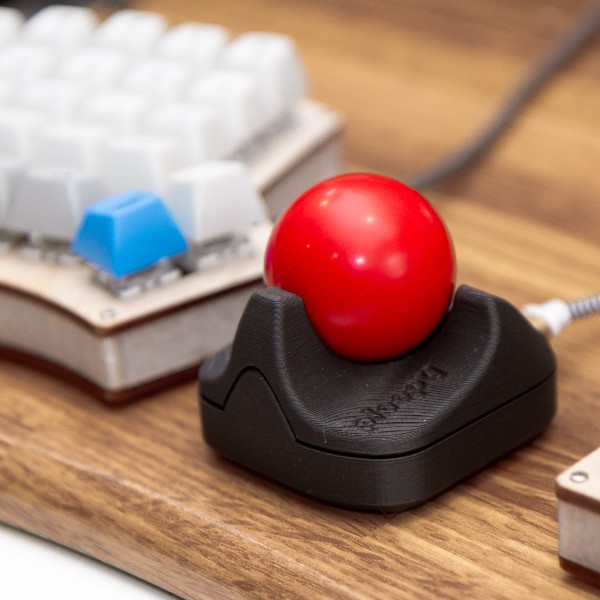
It's a DIY, QMK Powered Trackball...Nano!
- Maintainer: PloopyCo
- Key contributors: Drashna Jael're, Germ
- Hardware Supported: ATMega32u4 16MHz(5v)
- Hardware Availability: Store, GitHub
Make example for this trackball (after setting up your build environment):
make ploopyco/trackball_nano/rev1_001:default:flash
make ploopyco/trackball_nano/rev1_001:via:flash
See the build environment setup and the make instructions for more information. Brand new to QMK? Start with our Complete Newbs Guide.
Hardware Reset Button
The Ploopy Nano has a handy bootloader reset mechanism: two via pins on the board, designated by the reference designator MCU.J.X BOOTLOADER. If you stick an uninsulated paperclip or a pair of metal tweezers into both holes and plug in the Nano, it will start in bootloader mode.
Revisions
Occasionally, new revisions of the PCB will be released. Every board comes with a designator that looks something like R1.001.
Match the firmware that you flash onto the board with the designator on the board.
Fuse settings
When flashing the bootloader, use the following fuse settings:
| Fuse | Setting |
|---|---|
| Low | 0x5E |
| High | 0x99 |
| Extended | 0xC3 |
Customizing your PloopyCo Trackball Nano
You can find customziation options here.